Your panelProvidersCustomersRental
Panel Studio Ecosystem
Separate panel installations connected to a central rental workspace. Keep panel operations independent while managing accounts, subscriptions, and support together.
Build your brand on your own domain. Start with 1,000 monthly orders, connect your providers, and make every detail yours.
Give customers a branded place to order services, add funds, and follow their orders. The customer experience is supplied by your installed panel.
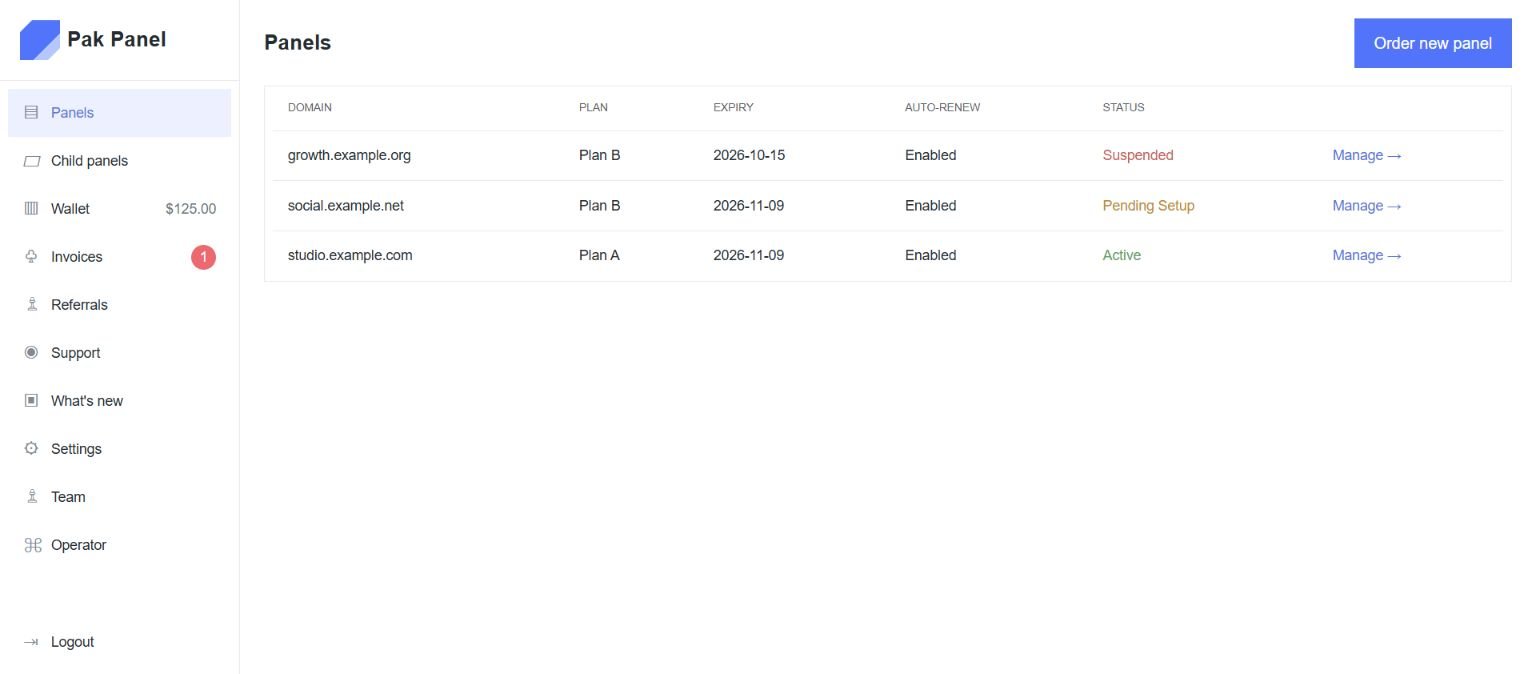
View demo ↗Manage your rental panels, invoices, wallet, and support. Panel order operations remain in each installation’s own admin area.
View demo ↗Edit theme templates, CSS and JavaScript using the code editor in your panel administration. Preview changes before publishing them.
View demo ↗The rental workspace adapts to phones and tablets. Native mobile applications are not included in this build.
View demo ↗Separate panel installations connected to a central rental workspace. Keep panel operations independent while managing accounts, subscriptions, and support together.
Use the panel’s supported order API for customer integrations. The rental connector handles installation health and billing instructions separately.
Fund rental wallets through configured cryptocurrency and PaySMM integrations. Provider-confirmed transactions update the wallet once, with a traceable payment history.
See methods →Connect compatible providers through your panel application. Import services and manage pricing and provider balances in its administration.
Explore integrations →Use the provider synchronization tools supplied by your panel.
Track linked panel subscriptions in one rental account.
Manage recurring rental billing and renewal dates.
Use the language options supported by your panel theme.
Review invoices, funds, billing events, and panel usage.
Give staff access that fits their responsibilities.
Keep setup and billing conversations in one ticket history.
Connect compatible tools through the panel application.
A clear separation between the rental workspace and each panel.
Connected hosting and a tracked installation workflow.
Access controls and recorded billing operations.
Panels, wallet, invoices, and support in the same account.
Order a panel and follow its installation progress.
Start at $5 per month with up to 1,000 orders.
Keep hosting, installation, and billing states linked.
Follow funding requests and confirmed wallet transactions.
Assign access by role and keep an audit trail.
Build your own customer base, connect providers,
and manage your panel’s rental from one account.
Choose a domain, place an order, and pay your first rental invoice.
Configure the panel’s theme, connect providers, and enable your payment methods.
Serve customers and manage rental renewals and team access from your workspace.
A platform for renting and managing your own SMM panel, with a branded website, administration, billing, and support.
The starting plan is $5.00 per month for up to 1,000 orders. Services purchased from your providers are billed separately.
Create your account, choose a domain, and pay your first invoice. The installation workflow prepares the panel and activates it after its health checks pass.
You manage the panel through a web interface. Hosting is operated by the rental platform. A connected hosting account and configured provisioning worker are required for automated installation.
The underlying panel application supports provider connections and service imports. Compatibility depends on the provider API.
Your panel’s supported client API allows compatible integrations. API access and provider configuration are controlled in its administration.
Configure the payment integrations in your rented panel. Rental invoices are paid through your rental wallet, with configured Cryptomus, Binance, and PaySMM funding.
Use the appearance and theme tools provided by the panel application. The rental workspace keeps your domain, billing, and subscription together.
Language and currency options depend on the installed panel theme and application settings.
Contact support before importing any existing database. Migration needs a separate compatibility check and backup.
Yes. Account owners can assign manager, billing, support, and viewer roles, and revoke access from the team page.
Your panel’s API and the rental connector serve different purposes: order processing belongs to the panel; installation, health, and billing belong to the rental platform.
Open a support ticket from your account and keep all replies and installation questions in one place.
Your panel business starts with a domain and a plan.
Get started ⟶